Monday, October 13, 2008

Tuesday, August 05, 2008
BMW-Z4 (painting with light)
just sharing an example of using HDR image in a 3d/CG scene. the HDR image is not seen here but i used it to simulate light and the reflecting environment. how the HDR looks like is somewhat similar to the background image, only that its a 16-bit floating image format like RAW(background is only 8-bit).

just like shooting/photography, i had to key-in the appropriate f-stop/shutter/iso/wb values in the software's camera parameters to get the right exposure, as well as to set up sunlight with its correct physical value, plus additional lights (as strobes) to enhance the subject, the workflow is virtually painting with light.
HDR? Enter Paul Debevec. In 1997, he presented a paper at SIGGRAPH (PDF), the leading graphics industry expo. He brought forward the idea that a high range of brightness levels could be captured by combining multiple exposures of the same image, much like the pictures shown above. Differences in brightness at the various exposures could then be stored in what is known as a radiance map, which could be added to the picture's color information. For example, most pixels are stored as varying levels of red, green and blue, or RGB. With the generation of a radiance map, a fourth value, A, could be added to each pixel, and the resulting file stored in an RGBA format. (taken from and more here: http://arstechnica.com/articles/culture/lostcoast.ars/2)
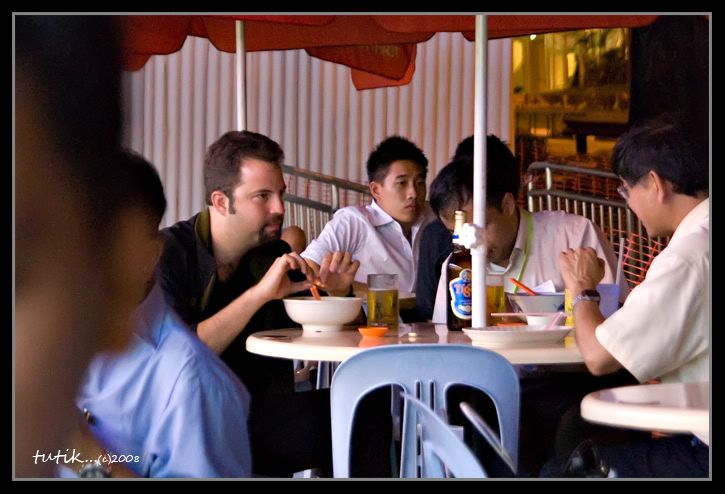
(above) Paul Debevec enjoying prawn mee soup and Tiger Beer in one of the hawkers in Singapore. Who says HDRI imaging should be glamorous?
Saturday, June 07, 2008
Polka Interior

Tuesday, April 29, 2008
Wednesday, April 23, 2008

Tuesday, August 28, 2007
That's True - My 1st CG Music Video
 coming soon! but it won't be shown here...it's produced for someone else's site so watch out for the link...
Friday, April 13, 2007
Saturday, April 07, 2007

Friday, April 06, 2007
Split Rendering Tutorial Part 2 - MOOD SHOTS
Let's do a basic workflow, create split render passes with:
1. No lights, only HDR (sunset) applied to Vray environment (image below):
 2. Vray Sun (sunset position) only, HDR is off (image below):
 3. Only Living room lights on, Sun and HDR is off (image below):
 4. In Autodesk Combustion, composite the images with HDR Pass as the background image, screen merged with Sun Pass. With this (HDR+SUN) as the background, screen blend with the Living room lights pass as the foreground. Applying color correct modifiers will give you flexibility to dim or brighten your scene as desired. Its all about perception so how you control colors and brightness is your call. As a guide for this tutorial, here's a blending flowchart used:
 5. Here are the mood shots:
- sunset mood:

- sunset, kitchen lights on:

- with added living room lights:

Since we are working in Combustion workspace, we can animate the dimming or brightening of lights. With rendered animation passes, we can do a lot more :)
Blessed Easter to all!!
Thursday, April 05, 2007

Tuesday, March 20, 2007

Thursday, March 15, 2007
3D TUTORIAL: SPLIT RENDERING IN VRAY/3DSMAX
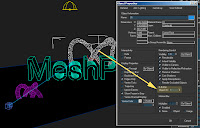
1. In your scene, assign a unique 'Object ID' number for each object (ref above image)
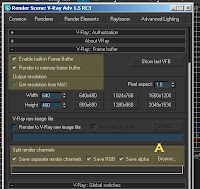
2. Set your Vray Frame Buffer parameters as shown above
A. Assign where to save the split channels (ref above image).
3. Set your Render Elements parameters (ref below image):
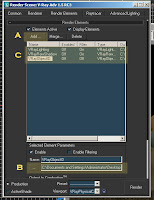
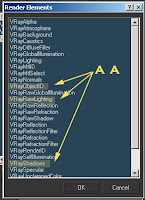
A. Add the channels you need to split render
AA. select the channels you need (ref above image). For this tutorial I picked VrayObjectID, VrayRawLighting, and VrayShadows
B. (pls. ignore this, assign filenames here if using scanline. we already done so in step 2A)
C. Added channels will be reflected here (ref above image)
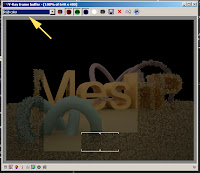
4. Render to open up the Vray VFB (above image). You can scroll to preview the channels during rendertime (ref below images).
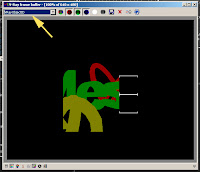
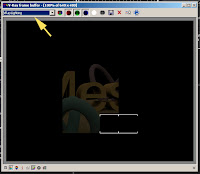
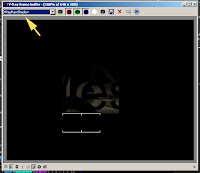
5. Split channels are saved after render (image below):
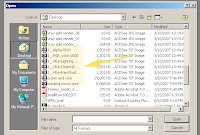
These is a very basic workflow and will need to be adjusted to suit your needs. Some channels may not work for different image formats (tif, jpeg etc). If you are using Autodesk Combustion for post, max can create a combustion workspace with all the split channels already layered within the workspace file.
Wednesday, January 10, 2007
From Virtual to Reality

Now here's my 3d rendition, about a year and a half ago:

Above image was also featured in Autodesk's website,(VMW - pdf, 192kb). Above is just one of the many marketing visuals created for www.alilahotels.com by VMW (Singapore's best Arch'l. Media Firm).
What Happened to the X-mas Tree?


Wednesday, January 03, 2007
Daniel Libeskind in Singapore
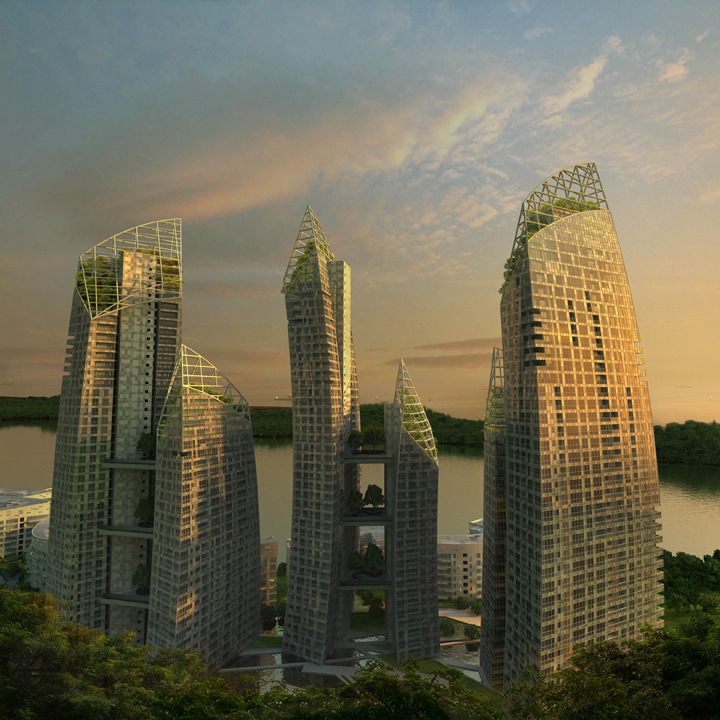
Iconic condo development promises to put Singapore waterfront living on world map
4 January to 15 January 2007
The Singapore Art Museum, in association with Keppel Land, will present an exhibition of architectural prints, renderings and drawings of the works of New York-based master architect, Daniel Libeskind.
other article/s here:
Keppel unveils spectacular seafront homes in architect Daniel Libeskind’s first Asian residential show piece


